Compliance
How to Use Follow Up Boss to Track Commission Disclosures (Audit-Ready)
Important disclaimer
This article is general operational guidance, not legal advice. State disclosure rules, MLS bylaws, and NAR settlement interpretations vary. Confirm anything file-specific with your broker and counsel.
Why Follow Up Boss alone won't make you audit-ready
FUB stores contacts, deals, and communication. That's most of what you'd want in a compliance record — but not all of it. The gaps we see when listing agents try to defend a closed file with FUB alone:
- • No structured disclosure field. The commission rate lives in a note or in the subject line of a reply, not in a queryable field. "Show me every listing where the disclosure went out before the first showing" is a one-hour spreadsheet exercise, not a two-click filter.
- • No versioning. If disclosure language changed between two closings, there's no way to prove which version went to which buyer agent.
- • No timing enforcement. FUB won't stop you from advancing a deal to Under Contract with a blank disclosure record. Missing disclosures only surface when something else forces you to look.
- • No delivery proof. A note that says "sent disclosure" isn't a delivery record. An MLS auditor wants the exact message, timestamped, with recipient.
None of these are FUB's fault — it's a CRM, not a compliance tool. The good news is that with the right custom fields, tags, and one automation layer, you can close every one of them.
Step 1 — Custom fields for the disclosure record
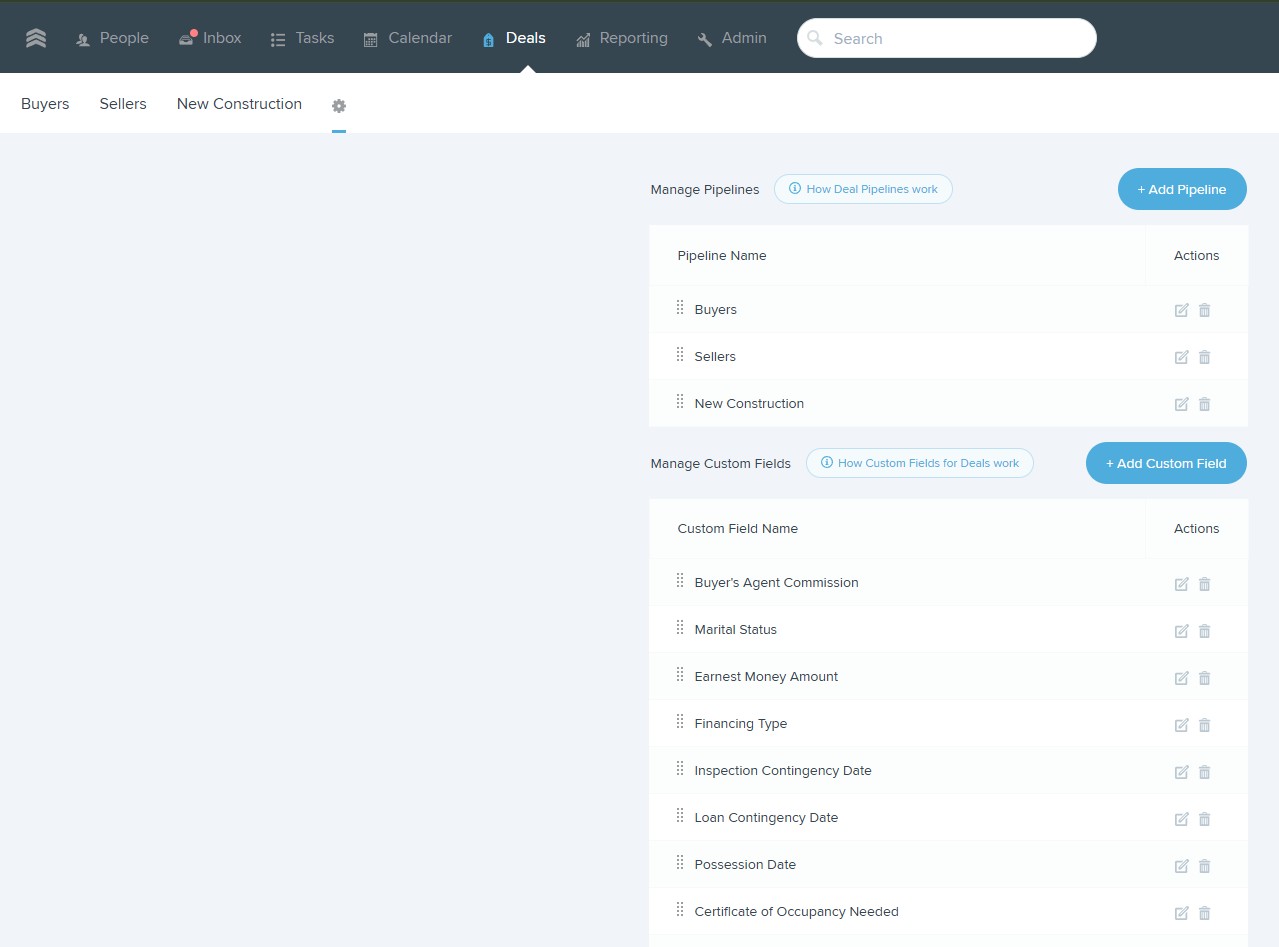
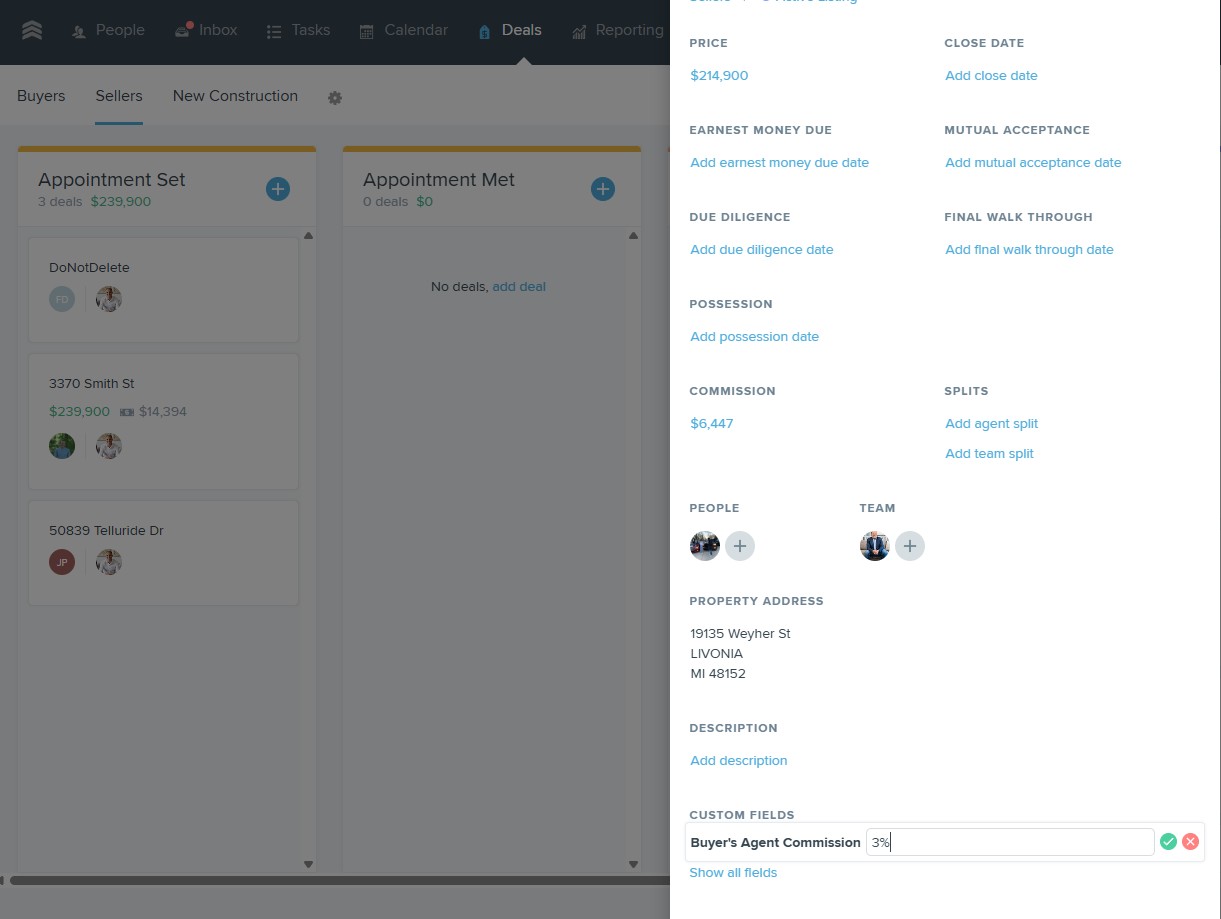
Add these fields at the deal level, not the contact level. Deals map 1:1 to listings; contacts don't.
- • Buyer-broker compensation (%) — numeric.
- • Buyer-broker compensation ($) — numeric, calculated or manual.
- • Offering party — dropdown: Seller / Listing Brokerage / Concession.
- • Disclosure date (first) — date, when the disclosure first went to any buyer agent.
- • Disclosure method — dropdown: Email / Showing Reply / Property Packet / Verbal (with follow-up email).
- • Disclosure version — text or dropdown pointing to your template library. Critical when language changes mid-listing.
- • Disclosure recipient count — numeric, incremented every time a new buyer agent gets the disclosure.
- • Amended disclosure date — date, if anything changed mid-listing (commission change, concession negotiated at inspection).
Step 2 — Tag-based tracking workflow
Tags are FUB's coarse-grained state machine. Four tags cover the disclosure lifecycle:
- • Disclosure Sent — set when the first disclosure goes out. Auto-applied when the disclosure fields are first populated.
- • Disclosure Confirmed — set when the receiving buyer agent has acknowledged receipt (reply, DocuSign confirmation, or explicit confirmation email).
- • Disclosure Amended — set when the amended disclosure date field is populated. Doesn't remove the original tags — the audit trail wants both.
- • Disclosure Missing — set by the monthly self-audit smart list. Manual triage flag.
The corresponding smart list — Deals where stage is Under Contract or beyond AND Disclosure Sent tag is absent — is the single most valuable smart list a listing agent can run monthly. Every deal on it is a compliance risk waiting to be found.
Step 3 — How ShowSmartly closes the remaining gap
Custom fields and tags fix the data model. They don't fix the entry problem — the fields still have to get filled in, on every listing, every time. If it's a manual task, it will get skipped on a busy Tuesday, and that's the deal an auditor eventually pulls.
ShowSmartly's Follow Up Boss AI writes the disclosure record as a side effect of sending the showing reply:
- • Every showing reply carries the state-versioned commission disclosure language.
- • The reply is logged as a note on the FUB deal with the exact text sent, the timestamp, and the recipient.
- • The disclosure custom fields on the deal are populated automatically from the property's commission settings.
- • The Disclosure Sent tag is applied the first time a disclosure goes out on the deal; the recipient count field increments on each subsequent send.
- • When a commission changes mid-listing, the amended disclosure event writes a new note (versioned) and updates the Amended Disclosure Date field — no manual edit needed.
The record is created by the same action that does the work. That's the only pattern that survives a busy quarter — see the underlying rules in our commission disclosure best practices guide.
The MLS audit-survival checklist
Run this against any closed 2025-or-later listing that might come up in an audit. If your FUB record can't produce all nine items, the answer isn't "hope for the best" — it's remediate the record now, while the emails are still recoverable.
- The deal has all required disclosure custom fields populated.
- The Disclosure Sent tag is present and dates before the first showing appointment on the deal.
- At least one note on the deal contains the exact disclosure language that was sent (not a paraphrase).
- The disclosure version field matches an existing template in your library (so the language can be reconstructed).
- If the compensation changed at any point, an Amended Disclosure record exists with its own timestamp and language.
- The recipient count is greater than zero and consistent with the number of buyer-agent contacts on the deal.
- The Disclosure Confirmed tag is present, or a note documents the confirmation-attempt trail if the buyer agent never explicitly acknowledged.
- The disclosure method field is set to something other than Verbal alone — verbal without follow-up email is not a defensible record.
- The disclosure references the specific property address and offering party (not "our standard offer").
The NAR settlement FAQ establishes the underlying rules; the audit-defensibility standard above is what the practitioners we work with have actually been asked to produce.
Bottom line
Follow Up Boss can be an audit-ready commission disclosure record. It just isn't one out of the box. The custom-field and tag layer above closes the data-model gap; an AI disclosure layer closes the entry-discipline gap. Together they turn "we sent a disclosure, I'm pretty sure" into a queryable, timestamped, versioned record that survives a compliance review — which is the only kind of record that matters when the review happens.
Start saving 10+ hours a week
Join the listing agents and teams using ShowSmartly to handle showing replies, multi-offer analysis, and team KPIs — automatically.
Start free trial