Integrations
The Best Follow Up Boss Workflow for Listing Agents
What FUB gives you out of the box (and why listing agents outgrow it)
Follow Up Boss's default template is a buyer funnel: New Lead → Nurture → Active → Under Contract → Closed. The action plans that ship with a new account — the drip sequences, the smart lists, even the phrasing of the pipeline stages — are all aimed at the buyer side of the transaction. If your book is 70% listings, you're using maybe 40% of what FUB actually does.
The listing side has a completely different rhythm: pre-list preparation, MLS launch, showing feedback, price reductions, offer negotiation, disclosure documentation, and post-close referral cultivation. Stock FUB doesn't model any of that. The good news is that FUB is flexible enough to handle it — you just have to rebuild the top layer.
Everything below assumes you're on Follow Up Boss Pro or Premier. The core pipeline and smart list features exist on the base plan, but the API access and per-agent assignment rules that make the automations useful are Pro-and-up.
The six enhancements that make FUB work for listing agents
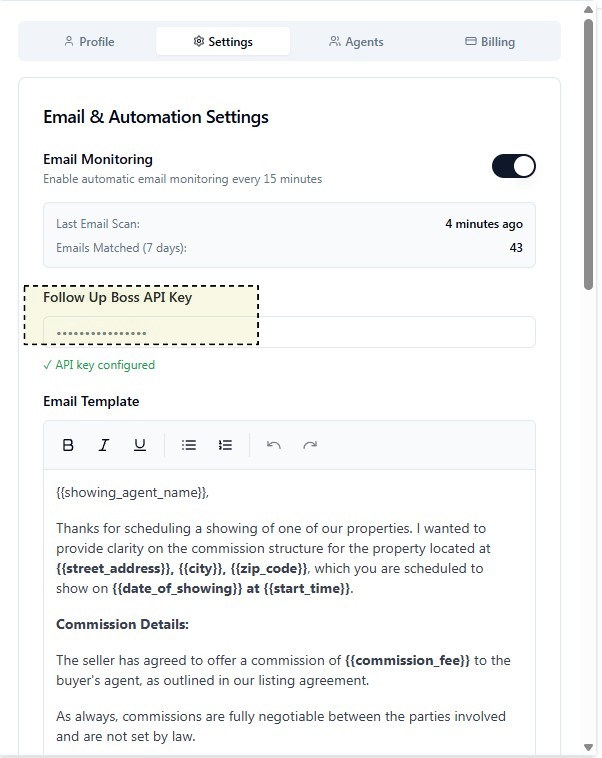
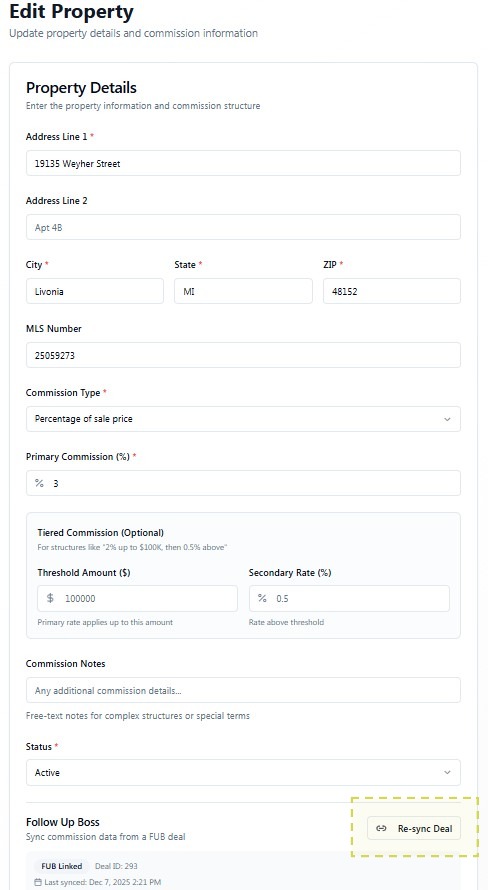
None of these require code. Every change lives inside FUB's admin panel or on the API/settings screens shown below.
1. Rebuild the pipeline around the listing lifecycle
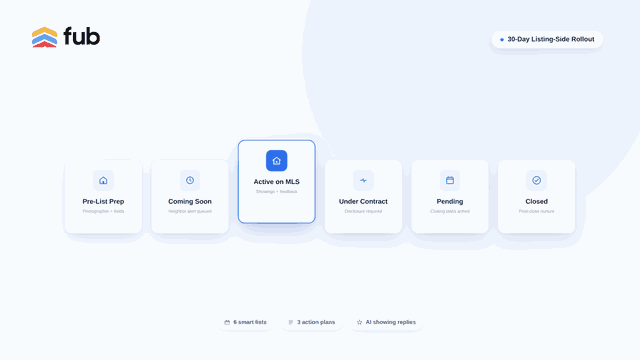
Replace the buyer stages with: Pre-List Prep → Coming Soon → Active on MLS → Under Contract → Pending → Closed → Post-Close Nurture. Each stage has different automations attached — Pre-List Prep triggers the photographer scheduling task; Active on MLS triggers the showing-feedback smart list; Under Contract triggers the disclosure-tracking custom fields to become required.
Keep a second, parallel pipeline for buyer-side deals if you also run buyer business. FUB supports multiple pipelines cleanly — don't try to jam both sides into one.
2. Add listing-side custom fields
Custom fields are where FUB earns its keep for listing agents. The essentials: MLS number, list price, current list price (they diverge fast), photographer status, showing count, offer count, buyer-broker compensation (%), disclosure date, and expected close date. Set them on the deal, not the contact — a seller can have multiple listings over the years and you want the fields to travel with the property.
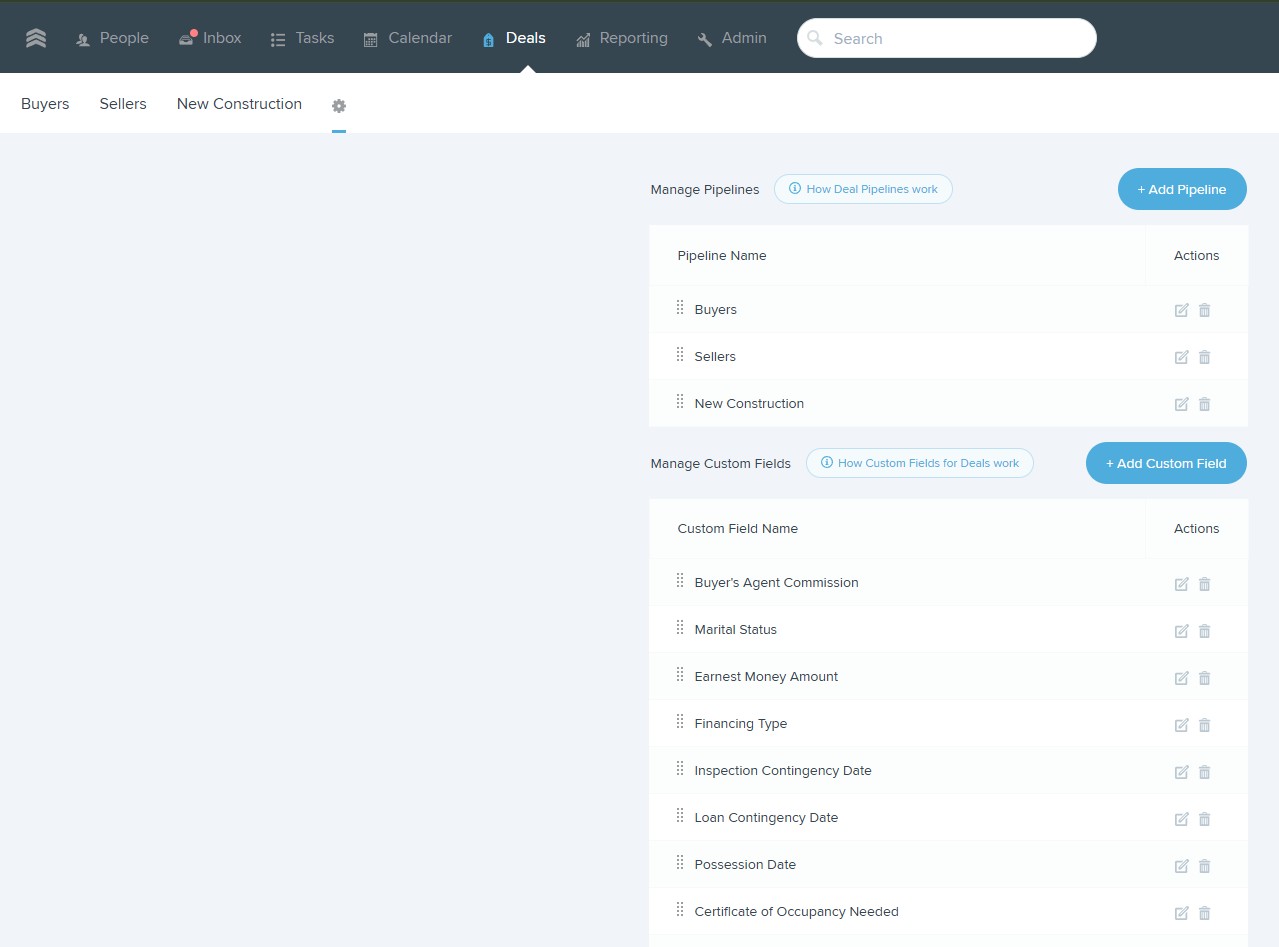
Once these exist, every downstream automation, smart list, and API integration can read and write them. Without them, everything else in this workflow is a workaround.
3. Build the six listing-agent smart lists
Smart lists are the closest FUB comes to a real dashboard. The six that matter for listing work:
- • New Listing Prep — deals in Pre-List Prep or Coming Soon stages, sorted by expected go-live date.
- • Expiring in 30 Days — deals in Active on MLS with a list-expiration date within 30 days.
- • Price Reduction Candidates — active listings with zero offers, showing count below your market's median for days-on-market bracket.
- • Showings This Week — deals with a showing appointment in the next 7 days. Drives feedback follow-up.
- • Offers Pending Review — deals with offer count > 0 and stage still Active on MLS. Anything that sits here more than 24 hours flags on the daily review.
- • Closings This Month — deals in Under Contract or Pending with expected close date this month. Feeds the closing-week task automations.
4. Action plans built for the listing side
FUB action plans are automated task-and-communication sequences. Three plans do most of the work:
- • New Listing Rollout — 14-day sequence starting the day the deal moves to Pre-List Prep. Schedules photographer, drafts the seller-update text, queues the MLS-go-live email, sets the coming-soon reminder for the neighboring agents in the office.
- • Price Reduction Conversation — triggers when a deal shows up in the Price Reduction Candidates smart list for two consecutive weeks. Drafts the CMA update, schedules the seller call, and queues the follow-up text 48 hours later.
- • Post-Closing Cultivation — a 12-month sequence that turns closed sellers into referral sources: closing-anniversary check-in, market-update quarterly send, and a hand-crafted holiday touch. Ends with a review-request task.
Assign each plan to the deal, not the contact — otherwise the sequence fires again if the seller lists a second property, which is the opposite of what you want.
5. Automations that keep the fields honest
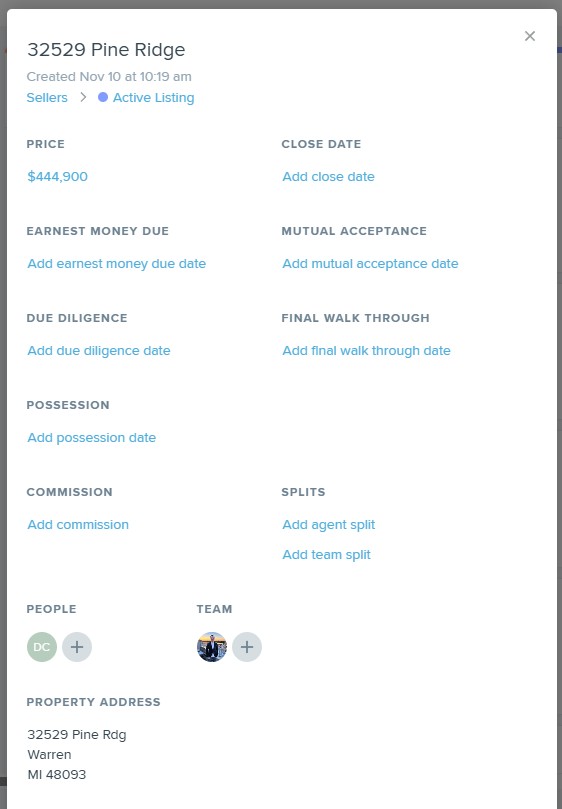
The trap with custom fields is they go stale. FUB's automation engine can auto-update fields when stages change (e.g., set Disclosure Date required when a deal moves to Under Contract) and push webhooks to your integration layer when a deal is created, updated, or closed. That webhook is how tools like ShowSmartly stay in sync in real time instead of waking up at midnight and reconciling everything.
6. API access, so the outside tools can help
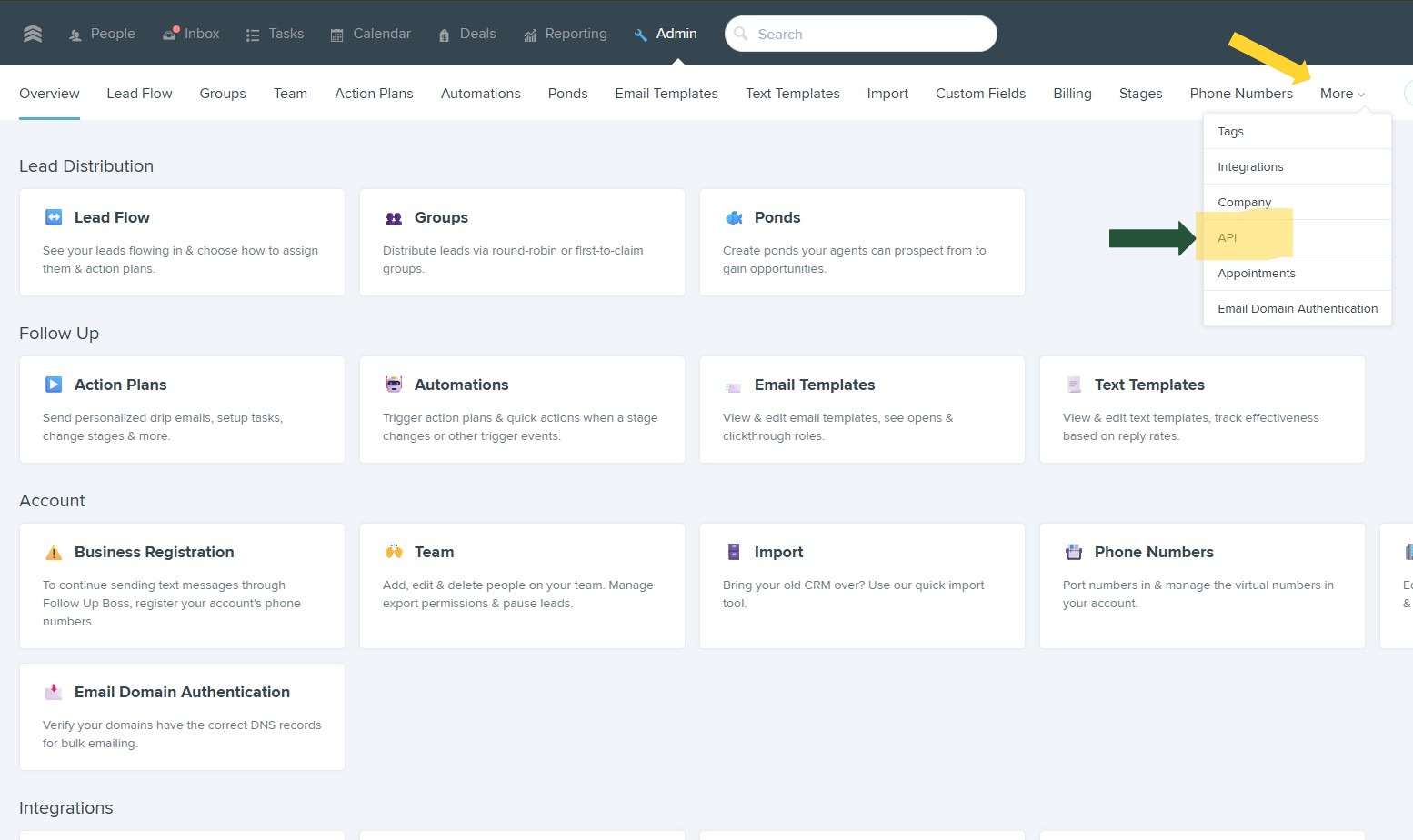
FUB's API is on Pro and Premier and is the reason any of this scales. From the admin menu, generate a scoped key with read/write on contacts, deals, and notes — that's enough surface area for showing-reply automation, commission tracking, and audit-log writes without giving external tools more permission than they need.
Where AI fills the remaining gaps
FUB's own AI (lead scoring, smart-list suggestions, reply drafting) is aimed at the buyer-lead nurture side. The three gaps that stay open for listing agents even after the six enhancements above:
- • NAR-compliant showing replies. FUB drafts a friendly reply. It doesn't know your state's disclosure timing rules, and it doesn't automatically log the disclosure to the deal. ShowSmartly's Follow Up Boss AI handles both — state-versioned language, timestamped write-back to the FUB deal note.
- • Multi-offer analysis. When three offers land at once, FUB shows you three deals. It doesn't rank them by net-to-seller with buyer-agent-compensation and concessions netted out. That work still happens in a spreadsheet unless you layer an AI on top.
- • Audit-ready commission tracking. The custom fields hold the numbers. They don't produce the audit packet an MLS reviewer or plaintiff attorney would want. That's a documentation layer, not a CRM layer.
The 30-day rollout plan
Week 1 — Foundation
Rebuild the pipeline stages. Add the listing-side custom fields at the deal level. Import or clean up existing contact records so the automations don't fire on stale data.
Week 2 — Smart lists & automations
Create the six smart lists. Wire the automations that keep them accurate: stage-change triggers, field-update rules, webhook subscriptions for any external tool that needs to react in real time.
Week 3 — Action plans
Build the three action plans (new listing rollout, price reduction, post-closing). Test each against one live deal before enabling for the whole book — action plans are hard to unsend.
Week 4 — AI + audit
Connect Follow Up Boss AI or ShowSmartly for the automated reply and commission-tracking layer. Run one week in double-check mode (AI drafts, you approve) before turning it fully autonomous. Audit the first week's writes against your MLS and state disclosure rules.
Common mistakes we see
One pipeline for both sides
Buyer and listing lifecycles have nothing in common. Separate pipelines; separate action plans; separate smart lists. Otherwise every automation has to include an "if buyer / if seller" branch.
Custom fields on contacts instead of deals
A seller can list two houses in three years. Contact-level fields get overwritten each time. Deal-level fields travel with the property.
Skipping the audit week
The automations feel like they're working. The MLS auditor cares whether they wrote the right disclosure to the right deal at the right time. Spend the week reading the notes FUB is generating before you trust them.
The listing-side FUB stack we recommend
Follow Up Boss Pro (or Premier for teams) for the CRM layer, the six smart lists and three action plans above, plus Follow Up Boss AI from ShowSmartly for the showing-reply, disclosure-logging, and multi-offer analysis layer. The existing Follow Up Boss integration guide covers the technical connection step-by-step; this post covers the workflow that sits on top.
Start saving 10+ hours a week
Join the listing agents and teams using ShowSmartly to handle showing replies, multi-offer analysis, and team KPIs — automatically.
Start free trial